What Are UX and UI, and Why Do They Matter in Software Products?
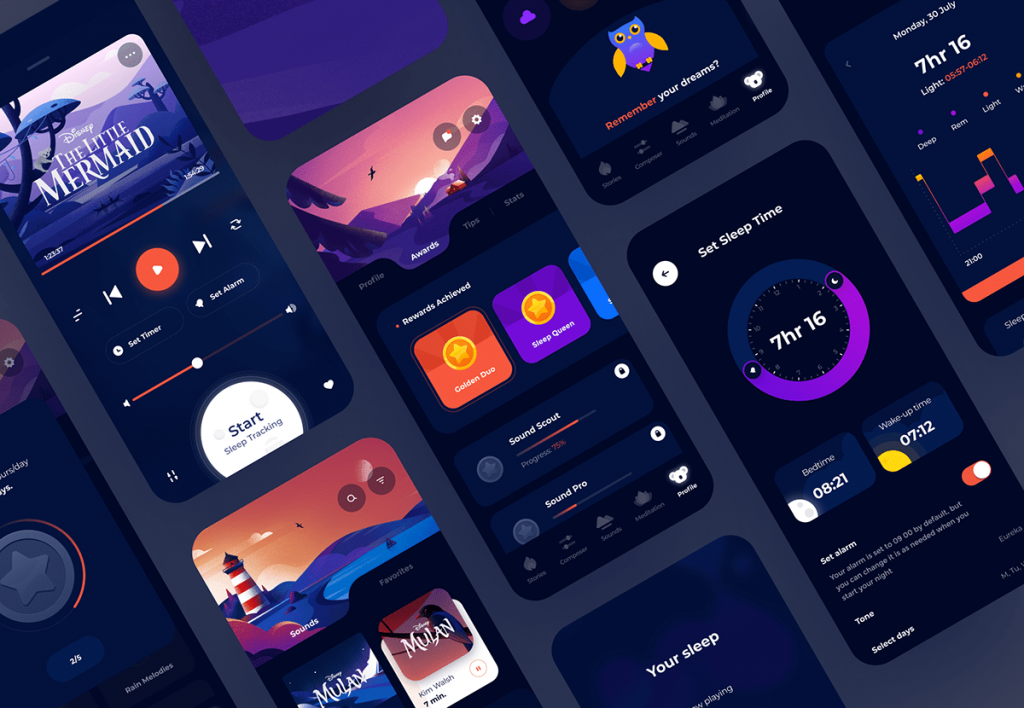
What is the difference between UX and UI, and why do they matter in software products? Learn about user experience, interface design, their role in product development, common design mistakes, and the relationship between design and software engineering.
What Are UX and UI, and Why Do They Matter in Software Products?
When we talk about software, we usually think first about its features.
What the software does, what capabilities it offers, and what technologies it uses.
But there is another important question:
How does the user actually use the software?
A product may be technically powerful and packed with features, but if users cannot easily find their way around it, struggle to complete tasks, or face a confusing interface, part of the product's value is lost.
This is where UX and UI become important.
UX and UI are closely related but distinct concepts that play an important role in digital product design.
What Is UX?
UX stands for User Experience.
Simply put, UX refers to the experience a user has when interacting with a product or service.
This experience is not limited to how the software looks.
For example, when a user enters a system, they should be able to:
Find what they need quickly.
Understand how to complete a task.
Locate the required information.
Understand and recover from errors.
Move between different sections without confusion.
All of these are part of the user experience.
UX, therefore, is not simply about making software look good.
UX is about making the product logical, understandable, and efficient to use.
What Is UI?
UI stands for User Interface.
UI is more directly related to what users see on the screen and interact with.
Elements such as:
Colors
Typography
Buttons
Forms
Icons
Spacing
Cards
Menus
Visual page structures
are all part of a product's UI.
UI therefore focuses on the visual presentation of the user interface and how users interact with it.
But good UI is not simply about attractive colors or a modern visual style.
A good interface should also be clear, predictable, and consistent.
What Is the Difference Between UX and UI?
UX and UI are closely connected, but they are not the same thing.
UX can be thought of primarily in terms of the user's experience and journey, while UI focuses more on the interface and visual layer through which the user interacts with the product.
For example, imagine a banking application.
If a user cannot easily find their account balance, this may indicate a UX problem.
If the balance is clearly presented but the typography, buttons, or overall visual design are difficult to read or understand, the problem may be related to UI.
In a successful product, these two areas should work together.
A beautiful interface without a good user experience is not enough, just as a good user experience without a usable interface is incomplete.
Why Does UX Matter from the Beginning of Product Development?
A common mistake is to postpone user experience design until after software development.
With this approach, much of the product is built first, and UX problems are addressed afterward.
However, many UX problems originate during the early stages of product definition.
For example, the information architecture, primary user flows, or logic of a process may be poorly defined from the beginning.
Fixing these problems late in development can require significantly more time and resources.
That is why UX should be part of product definition and design from the beginning, not a decorative layer added at the end.
Where Does UX Design Start?
UX design usually starts with understanding the user and the problem.
Before designing a screen, we need to know:
Who is the user?
What is their goal?
What problem are they experiencing?
In what context will they use the product?
What information do they need?
What obstacles might they encounter?
Once these factors are understood, the User Flow can be designed.
A User Flow defines the steps a user takes to accomplish a specific goal.
For example, in an e-commerce product, the journey might look like:
Product Discovery → Product Details → Add to Cart → Order Review → Payment → Confirmation
If this journey is confusing or unnecessarily complicated, even excellent visual design may not create a good user experience.
What Is a Wireframe?
A common tool in UX design is a Wireframe.
A wireframe is a simple early representation of a screen that focuses primarily on structure, content, and functionality rather than final visual design.
At this stage, the goal is not to make the interface beautiful.
The goal is to determine:
What information should be displayed?
Where should each element be placed?
What options should users have?
How should the interaction flow work?
Wireframes allow teams to review and refine the product structure before investing significant time in visual design and development.
When Does UI Design Come In?
Once the overall structure and user experience have been defined, UI design can shape the visual language of the product.
This is where elements such as colors, typography, icons, buttons, and other visual components are defined.
But professional UI design is more than a collection of attractive elements.
These elements should remain consistent and coherent throughout the product.
For example, if a button follows a particular visual pattern on one page, users should be able to recognize the same visual logic throughout the rest of the product.
What Is a Design System?
As products become larger, the number of pages and interface components can grow significantly.
Maintaining consistency across all these elements can become difficult.
A Design System is a collection of principles, rules, and reusable components that helps teams maintain a consistent interface throughout a product.
A Design System may include:
Colors
Typography
Buttons
Forms
Components
Icons
Interaction patterns
Spacing rules
This approach can improve Consistency while also increasing the efficiency of both design and development.
What Makes a Good User Experience?
There is no single formula for good UX because every product and user group is different.
However, several qualities are commonly important:
Clarity
Users should understand what each part of the product does.
Simplicity
Processes should not be more complicated than they need to be.
Predictability
The interface should behave in ways users can understand and anticipate.
Feedback
When users perform an action, the system should clearly communicate the result.
Consistency
Similar patterns should behave similarly throughout the product.
Accessibility
Products should be usable, as far as possible, by people with different needs and circumstances.
Common UX/UI Design Mistakes
Focusing Too Much on Appearance
A product can look beautiful while still being difficult to use.
Visual appeal alone does not create a good user experience.
Making Simple Processes Complicated
Sometimes users are forced to go through too many steps to complete a simple task.
If a process can be simplified, adding more interface elements is usually not the answer.
Ignoring Real Users
A designer may assume that a particular flow is obvious, while real users may interpret it differently.
That is why User Testing and user feedback are important.
Designing Without Understanding the Product
UX/UI should not be designed independently from product logic.
Designers need to understand what problem the product solves and what users are trying to accomplish.
Ignoring Engineering Constraints
A design is valuable when it can be implemented effectively.
Collaboration between Design and Engineering can prevent a gap between the design and the final product.
How Are UX and UI Connected to Software Development?
Design and development are not necessarily two completely separate stages.
In a professional product development process, designers and developers should collaborate from the early stages.
Developers can provide feedback about technical constraints, performance, and implementation feasibility.
Designers, in turn, can clarify the logic behind the user experience and the purpose of each part of the interface.
This collaboration helps ensure that the final product is both technically reliable and usable from the user's perspective.
Good UX Can Become a Product Advantage
In many markets, different products offer similar capabilities.
In such situations, the experience of using the product can become one of the factors that differentiates them.
When users can accomplish tasks faster, more easily, and with fewer errors, they are more likely to have a positive experience with the product.
UX should therefore not be treated simply as a visual or decorative layer.
User experience is part of the product itself.
Atrina and Digital Product Design
At Atrina, product design begins with understanding the problem and the user.
Before designing the interface, we aim to understand what problem the product is intended to solve and how users will move through the product to achieve their goals.
The product structure, user experience, and visual interface are then designed in collaboration with the technical team as the product moves toward implementation.
The goal is not simply to create a beautiful interface.
The goal is to build a product that is understandable, useful, and valuable to its users.
From Good Design to a Good Product
UX and UI are important parts of product development, but they do not create a successful product on their own.
A good product is the result of collaboration between Problem, Product, Design, and Engineering.
When the right problem is identified, the product is properly defined, the user experience is carefully designed, and the right technical solution is built, the chances of creating a valuable and usable product increase.
Ultimately, good design is not only about what users see.
Good design is about what users experience.